I connected to Xcode’s MCP server (xcrun mcpbridge), and requested a list of all the tools. Then I threw that at Claude and had it whip up a “cheat sheet”. In case you’re curious what the agents have at their disposal.
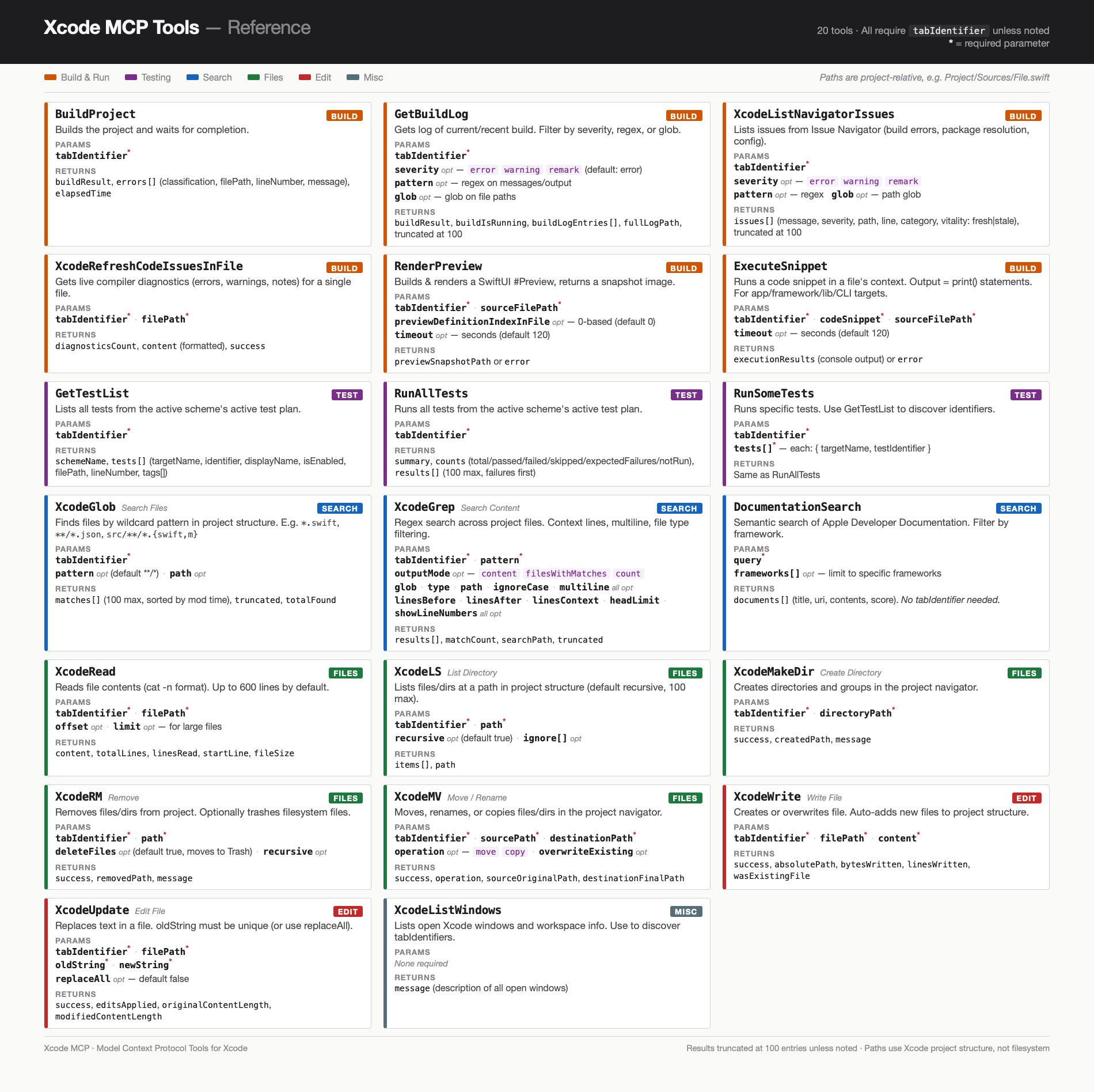
Screenshot of a cheat sheet page. AI summary:   A single-page reference card for the 20 Xcode MCP (Model Context Protocol) tools, organized in a three-column grid on a US Letter page. A dark charcoal header band reads "Xcode MCP Tools — Reference" with a note that all tools require a tabIdentifier parameter. Below, a color-coded legend maps six categories: Build & Run (orange, 6 tools: BuildProject, &10;  GetBuildLog, XcodeListNavigatorIssues, XcodeRefreshCodeIssuesInFile, RenderPreview, ExecuteSnippet), Testing (purple, 3 tools: GetTestList, RunAllTests, RunSomeTests), Search (blue, 3 tools: XcodeGlob, XcodeGrep, DocumentationSearch), Files (green, 5 tools: XcodeRead, XcodeLS, XcodeMakeDir, XcodeRM, XcodeMV), Edit (red, 2 tools: XcodeWrite, XcodeUpdate), and&10;   Misc (gray, 1 tool: XcodeListWindows). Each tool is shown in a white card with a colored left border stripe indicating its category. Cards list the tool name in bold monospace, a one-line description, required and optional parameters, and return values. A footer notes that paths use Xcode project structure and results are truncated at 100 entries.&10;

*****
Written on